WhatsApp AI Employee for Online Shops: Save Time, Sell More


A WhatsApp AI employee is an AI that replies to your shop’s WhatsApp for you. It answers customer questions, takes orders, sends payment links and tells customers where their order is, any time of day, while you get on with packing, sourcing or sleeping.
If you sell online in Ghana, most of your customers probably still message you on WhatsApp before they buy. “How much?” “Do you have it in black?” “Do you deliver to Kasoa?” Each one is a possible sale, and each one takes your time. This guide explains what a WhatsApp AI employee (also called a WhatsApp AI agent or WhatsApp AI assistant) does, where it saves you time, when you still need to step in, and how to set one up for your shop with Nuanom.
What is a WhatsApp AI employee?
Employee, agent, assistant: people use all three words for the same thing. It is software, powered by a large language model (LLM), that reads your customers’ WhatsApp messages and replies on behalf of your shop.
It is not the old kind of chatbot that sends a menu and asks customers to “reply 1 for prices”. A WhatsApp AI employee understands normal messages, including follow-up questions, and replies the way a good sales assistant would.
The difference between a useful one and a gimmick is what it is connected to. An AI that can only chat is a toy. An AI employee for an online shop needs to know your products, your stock, your prices and your delivery options, and it needs to be able to create real orders and take payment.
That is how the Nuanom WhatsApp AI Assistant works: it is connected to your Nuanom shop, so it answers from your actual catalogue and every order it takes lands in your Nuanom app.
What a WhatsApp AI employee does for your shop
Here is the work Nuanom’s WhatsApp AI takes off your hands:
- Answers product questions. Price, colours, sizes, what is in stock. It checks your catalogue and replies straight away.
- Takes orders. It confirms the item and variant, asks whether the customer wants pickup or delivery, and gets their delivery location.
- Sends a payment link. The customer gets an order confirmation with a link to pay, so you are not checking MoMo screenshots.
- Confirms payment. Once the customer pays, it confirms the order in the chat.
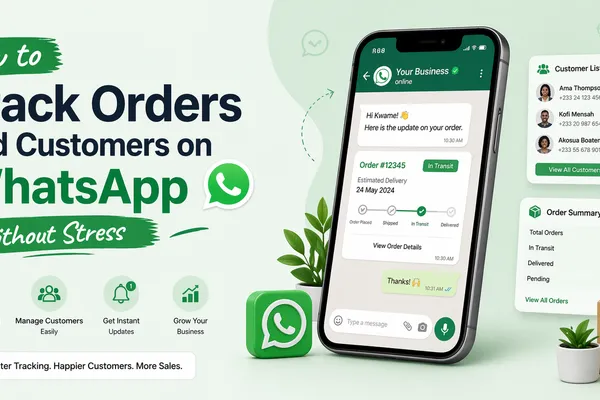
- Updates customers on their orders. “Where is my order?” gets an answer without you being interrupted.
- Handles many customers at once. Fifty people messaging during a flash sale is not a problem; a human can only reply to one at a time.
- Works 24/7. It replies at 2am and on Sundays, when you would normally miss the sale.

How a WhatsApp AI employee frees up your time
Think about a normal WhatsApp sale. The customer asks the price. You reply. They ask about another colour. You check and reply. They ask about delivery. You quote a fee. They say they will pay. You send your MoMo number, wait, check the screenshot against your MoMo messages, write the order down somewhere, then confirm.
That is a lot of back-and-forth for one handbag, and it often happens while you are serving someone in the shop, at the market, or asleep.
With an AI employee on your WhatsApp:
- The back-and-forth happens without you. You stop being the bottleneck for every enquiry.
- Orders are recorded automatically. No notebook, no scrolling through old chats to find who ordered what.
- Payment is matched to the order. The customer pays through the link, and the order appears in your Nuanom app ready to deliver.
- You only see what needs you. Instead of 40 chats, you deal with the few the AI flags.
The time you get back goes into the work that actually grows a shop: finding better stock, making content for TikTok and Instagram, and getting orders out faster.

When you still need to step in
A good AI employee knows its limits. When a customer asks for something the Nuanom WhatsApp AI cannot handle by itself, it sends you an alert and moves the conversation to Unresolved.
In the Nuanom app, conversations are sorted into three sections under Business > WhatsApp AI Assistant:
- Unresolved (AI paused): chats that need you. Open one to see a summary and the full thread, then tap Resolve to tell the AI how to respond. You can also reply to the customer directly from here, without opening WhatsApp.
- Ongoing (AI responding): active chats the AI is handling. You don’t need to do anything; it is just a way to see what the AI is up to.
- Resolved (done): chats where the customer’s needs have been taken care of.
Every view updates in real time, so you can keep an eye on things from your phone wherever you are. If you have staff, you can give a POS user the WhatsApp AI Manager role so they can view, respond to and resolve conversations too (see POS roles).

How to set up a WhatsApp AI employee for your shop
You set it up in the Nuanom app (Android or iOS). It takes a few minutes once your shop is ready.
- Fill in your shop info and delivery options. Put your delivery times and opening and closing hours in your About info, and set your delivery options with prices. The AI uses these to answer accurately.
- Add all your products. The AI can only sell what is in your shop, so upload your products with their variants, prices and stock.
- Get a WhatsApp number just for your shop. Don’t use your personal number; the AI is not trained to reply to personal messages.
- Start the assistant. Go to Business > WhatsApp AI Assistant and tap Start at the top right. It can take up to 2 minutes, and you will get a notification when it is ready.
- Link your number. Go back to Business > WhatsApp AI Assistant, tap Login and follow the instructions to link your shop’s WhatsApp number.
That’s it. Full details are in the WhatsApp AI Assistant guide.
Tips to get more orders from your AI employee
- Keep stock up to date. If the app says you have the red one, the AI will sell the red one.
- Write a clear delivery and return policy. Same-day cut-off times, days you don’t deliver, how returns work. Customers ask, and the AI answers from what you have written.
- Use good product photos and names. Nuanom can generate names and descriptions from your photos, which gives the AI more to work with.
- Put your shop number everywhere. TikTok and Instagram bios, WhatsApp Status, flyers and packaging. More chats now means more sales, not more work. See how to sell on TikTok in Ghana and get daily orders.
- Check Unresolved every day. Clearing it quickly keeps customers happy, and how you resolve chats tells you what to add to your shop info.
What a WhatsApp AI employee costs with Nuanom
The WhatsApp AI Assistant is included on every Nuanom plan, including the Free plan. There are no setup costs, no per-message fees and no separate WhatsApp API bill.
You pay a commission only on sales the AI makes:
- 3.99% on WhatsApp AI sales on the Free plan
- 2.99% on WhatsApp AI sales on the Basic, Pro and Pro+ plans
So on a GHS 190 handbag, that is about GHS 7.58 on Free or GHS 5.68 on a paid plan. Withdrawals cost GHS 2 to mobile money or GHS 10 to a bank account. Compare that with paying a full-time person to sit on WhatsApp all day, and still missing the 2am messages. See pricing for everything each plan includes.
If you’re deciding whether WhatsApp alone is enough for your shop, read WhatsApp Business vs online store and how to track orders and customers on WhatsApp.
Frequently asked questions
What is the difference between a WhatsApp AI employee, AI agent and AI assistant?
Nothing important. They are different names for the same thing: an AI that replies to customers on your shop’s WhatsApp. For an online shop, what matters is that it is connected to your products, stock and payments, so it can take real orders, not just chat.
Is Nuanom's WhatsApp AI a real AI or a scripted chatbot?
Real AI. It is powered by a large language model, so it understands normal messages, handles follow-up questions and replies in context, without menus or keyword triggers.
Can a WhatsApp AI take orders and payments?
Yes. Nuanom’s WhatsApp AI confirms the product and delivery details, creates the order, sends the customer a payment link and confirms once they have paid. The order then appears in your Nuanom app.
What happens if the AI can't answer a customer?
It sends you an alert and moves the chat to Unresolved in the Nuanom app. You can read a summary, reply directly or tap Resolve to tell the AI how to respond.
Can I use my personal WhatsApp number?
No. Use a WhatsApp number dedicated to your shop. The AI is not trained to reply to personal messages.
How much does a WhatsApp AI employee cost?
With Nuanom it is included on every plan, including Free. You pay a commission on the sales it makes: 3.99% on the Free plan and 2.99% on paid plans. There are no setup or per-message fees.
Can it reply to many customers at the same time?
Yes. It handles any number of conversations at once, which helps most during flash sales or when a TikTok video goes viral.

Related